
Preparing Your IT Systems for Power Outages and Natural Disasters in BC
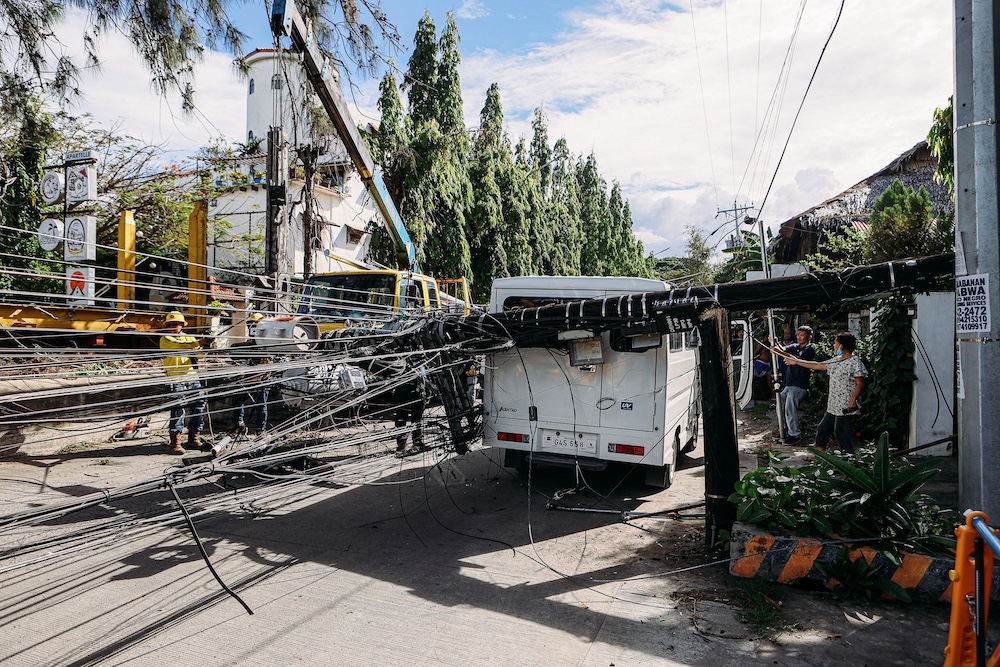
Power outages and natural disasters can quickly disrupt a business that relies on internet access, cloud applications, phones, shared files, payment systems, and on-site servers.
Businesses need to prepare for more than short power interruptions. Wildfires, flooding, earthquakes, storms, extreme heat, and extended outages can all affect technology systems and communications.
The goal is not to eliminate every possible risk. It is to make sure your business can protect critical data, keep essential systems available where possible, and recover quickly when something goes wrong.
Identify the Systems Your Business Depends On
Start by asking a simple question: What technology would stop your business from operating if it became unavailable?
Depending on your organization, that may include:
- Internet access
- Email and Microsoft 365
- File storage
- Accounting software
- VoIP phones
- Point-of-sale systems
- Customer databases
- Industry-specific applications
- On-site servers
Once you know which systems are most important, you can decide what needs to remain available and what should be restored first.
The Canadian Centre for Cyber Security recommends identifying critical business functions and systems as part of business continuity planning. It also recommends developing an IT recovery plan that identifies critical data, applications, and processes.
Protect Critical Equipment With UPS Battery Backup
An uninterruptible power supply, or UPS, provides temporary battery power when electricity is interrupted.
For most businesses, the purpose of a UPS is not to keep the entire office operating for hours. It is to protect important equipment and give systems enough time to shut down safely.
Prioritize equipment such as:
- Servers
- Firewalls
- Network switches
- Storage devices
- Internet equipment
Unexpected shutdowns can cause corrupted files, interrupted updates, and longer recovery times.
UPS batteries also wear out. Testing them and replacing ageing batteries should be part of regular IT maintenance.
BC Hydro also recommends disconnecting sensitive electronics during an outage to help protect equipment when power is restored. Their power outage safety guidance provides additional steps businesses can follow.
Plan for Internet Outages Too
Even if employees have charged laptops, they may not be able to work if the modem, firewall, network switches, or wireless equipment lose power.
Critical network equipment should therefore be included in your backup power plan. Businesses that rely heavily on cloud applications, VoIP phones, remote access, or online payments may also want a secondary internet connection.
Options can include:
- A second wired internet service
- LTE or 5G failover
- A portable cellular connection for emergency use
A properly configured business firewall can automatically switch to a secondary connection when the primary service fails.
Keep Backups Off-Site
Local backups are useful, but they should not be your only backup. If your server and backup device are in the same building, a flood, fire, or other serious event could damage both.
A stronger approach combines local backups with an off-site or cloud-based copy. Just as importantly, backups need to be tested. A successful backup notification does not guarantee that your business can restore its files, applications, and systems when needed.
Regular recovery testing confirms whether your backups are actually usable. The Cyber Centre's guidance on contingency planning emphasizes both restoring systems and maintaining alternative business processes when normal systems are unavailable.
Use Cloud Services to Improve Resilience
Cloud services can make it easier to continue operating when an office loses power or becomes inaccessible.
If email, files, and applications are hosted securely in the cloud, employees may be able to continue working from another location. However, cloud services do not remove the need for planning.
You still need to know:
- How employees will sign in remotely
- Whether multi-factor authentication will work
- Which applications still depend on office equipment
- How employees will connect if the office internet is unavailable
- How critical cloud data is protected
A well-designed cloud strategy should reduce your dependence on a single physical location.
Create an IT Disaster Recovery Plan
Do not wait until an outage to decide who is responsible for restoring systems.
A basic IT disaster recovery plan should explain:
- Who makes decisions during an outage
- Who contacts your IT provider
- Which systems are restored first
- Where backups are located
- How employees will communicate
- How remote work will operate
- Who communicates with customers and suppliers
The Canadian Centre for Cyber Security's incident response guidance specifically identifies natural disasters and unplanned outages as incidents that can affect networks, devices, and business systems. Having procedures in place beforehand can reduce downtime and help organizations recover more quickly.
The plan does not need to be complicated. It does need to be documented, current, and accessible even when your normal IT systems are unavailable.
Prepare for Longer Disruptions
A short power outage is very different from losing access to your office for several days.
BC Hydro's business outage preparedness resources provide practical information for businesses preparing for power interruptions. Its outage map can also be used to check current outage information.From an IT perspective, think through a few different situations:
Power is unavailable for 30 minutes.
Can critical equipment continue operating or shut down safely?
Power is unavailable for an entire day.
Can employees work remotely?
Your building is inaccessible for several days.
Can critical operations continue somewhere else?
Your on-site equipment is damaged.
Can systems and data be restored from off-site resources?
You do not need an expensive solution for every scenario, but you should know how your business would respond.
Don't Forget Cooling and Server Rooms
Backup power can create another issue: heat.
Servers, storage devices, and network equipment produce heat. If air conditioning stops during an outage, a server room can become too warm even while equipment remains powered by batteries or a generator.
For businesses with on-site infrastructure, consider temperature monitoring and safe shutdown procedures. Sometimes the safest option is to shut equipment down cleanly rather than keeping it operating until conditions become unsafe.
Make Remote Work Part of Your Continuity Plan
Remote work can be one of the most effective ways to keep a business operating during an outage or emergency.
Employees who may need to work remotely should know how to securely access company systems, complete multi-factor authentication, and use approved devices and applications.
Test these procedures periodically rather than assuming they will work during an emergency.
Security standards should remain in place. A disruption should not lead to password sharing, disabled security controls, or sensitive information being copied onto unmanaged personal devices.
Keep Emergency Contacts Accessible
Maintain a secure emergency contact list that includes:
- Key employees
- Your IT provider
- Internet providers
- Building management
- Insurance contacts
- Security providers
- Important vendors
Authorized staff should be able to access this information even if email, servers, or normal business systems are unavailable.
Test Your Recovery Plan
A disaster recovery plan that has never been tested is only a theory. Testing can be simple.
Try restoring files from backup. Confirm UPS batteries are healthy. Test internet failover. Have an employee work remotely. Review emergency contacts and system recovery priorities.
These exercises often reveal small problems that are easy to fix now but could create serious delays during an actual emergency.
A Simple IT Preparedness Checklist
Ask yourself:
- Which technology systems are critical to our business?
- Does essential equipment have reliable battery backup?
- Do we have an alternative internet connection?
- Are critical backups stored off-site?
- Have we tested restoring those backups?
- Can employees work securely from another location?
- Do we have a documented IT disaster recovery plan?
- Can we access emergency contacts without our normal systems?
- Have we tested the plan recently?
- What happens if our office is unavailable for several days?
If several of these questions are difficult to answer, those are good places to start.
Prepare Before the Outage Happens
BC businesses cannot prevent storms, wildfires, earthquakes, floods, or power outages. They can control how prepared their technology is when those events happen.
For many organizations, improving resilience does not require major infrastructure spending. Reliable backups, UPS protection, redundant internet, secure cloud services, remote-work capability, and a clear recovery plan can significantly reduce disruption.
At Digital Sky Solutions, we help organizations in Victoria, Vancouver, and across British Columbia prepare their technology for unexpected outages and emergencies. Through our Managed IT services, Cybersecurity and IT Consulting, we can identify critical risks, improve backup and recovery systems, and build a practical continuity plan for your business.
Related Posts:


